Home Blog Page 6

Free Cinematic Title Intro Template for Adobe Premiere Pro

Cinematic Title Intro is an elegant and Clean Premiere Pro template with stylish design and creatively animated title animation. A Premiere Pro Template that’s sure to grab your audience’s attention with its text animation. It is super easy to customize and use. Create amazing intros and trailers with this template. Impress your audience with this Powerful Intro.

Main Features:

  • Easy to use.
  • No Plugins required.
  • Full HD Compatible
  • Works with all media.
  • User-friendly template.
  • Renders quickly, so that time won’t be wasted.
  • The template can be used even if you have Premiere Pro 2019 (13.1) or above.
  • Video Tutorial Guide included as well for extra reference.
  • In the standard format of MOGRT.

Requirements:

  • Premiere Pro CC 2019 or above.
  • Any extracting software (like Winrar) for extracting the .zip folder.

Fonts Requirements

  1. Montserrat

Supportive Resolutions:

  • Full HD – 1920×1080
  • HD – 1280×720

How to Edit and Use Cinematic Title Intro Premiere Pro Template:

  1. Download the .zip file from the link given below in the “How to Download” Section.
  2. Extract the zip file using “7-ZIP”, “WINRAR” or any other software you have.
  3. Import the Cinematic Title Intro Template in to Premiere Pro through the Install Essential Graphics Template option in the Essential Graphics Panel.
  4. Create a sequence with a resolution of your own choice.
  5. Then Drag & Drop the Cinematic title intro template from the Essentials Graphics Panel onto the timeline.
  6. Finally, Select the Template in the timeline & Do all the editing you want with this template in the Essential Graphics Panel. (It’s that SIMPLE!)

How to Edit Cinematic Title Intro Premiere Pro Template (Video Tutorial Guide):

How to Download Cinematic Title Intro template:

You can download the template from the link given below. Click on it and you will be redirected to Google Drive or Media Fire. You can easily download it from there.
Free Fire Title Intro Template for Adobe Premiere Pro

Fire Title Intro is an elegant and Clean Premiere Pro template with stylish design and creatively animated title animation. A Premiere Pro Template that’s sure to grab your audience’s attention with its text animation. It is super easy to customize and use. Create amazing intros and trailers with this template. Impress your audience with this Powerful Intro.

Main Features:

  • Easy to use.
  • No Plugins required.
  • Full HD Compatible
  • Works with all media.
  • User-friendly template.
  • Renders quickly, so that time won’t be wasted.
  • The template can be used even if you have Premiere Pro 2019 (13.1) or above.
  • Video Tutorial Guide included as well for extra reference.
  • In the standard format of MOGRT.

Requirements:

  • Premiere Pro CC 2019 or above.
  • Any extracting software (like Winrar) for extracting the .zip folder.

Fonts Requirements

  1. Montserrat

Supportive Resolutions:

  • Full HD – 1920×1080
  • HD – 1280×720

How to Edit and Use Fire Title Intro Premiere Pro Template:

  1. Download the .zip file from the link given below in the “How to Download” Section.
  2. Extract the zip file using “7-ZIP”, “WINRAR” or any other software you have.
  3. Import the Fire Title Intro Template in to Premiere Pro through the Install Essential Graphics Template option in the Essential Graphics Panel.
  4. Create a sequence with a resolution of your own choice.
  5. Then Drag & Drop the Fire title intro template from the Essentials Graphics Panel onto the timeline.
  6. Finally, Select the Template in the timeline & Do all the editing you want with this template in the Essential Graphics Panel. (It’s that SIMPLE!)

How to Edit Fire Title Intro Premiere Pro Template (Video Tutorial Guide):

How to Download Fire Title Intro template:

You can download the template from the link given below. Click on it and you will be redirected to Google Drive or Media Fire. You can easily download it from there.

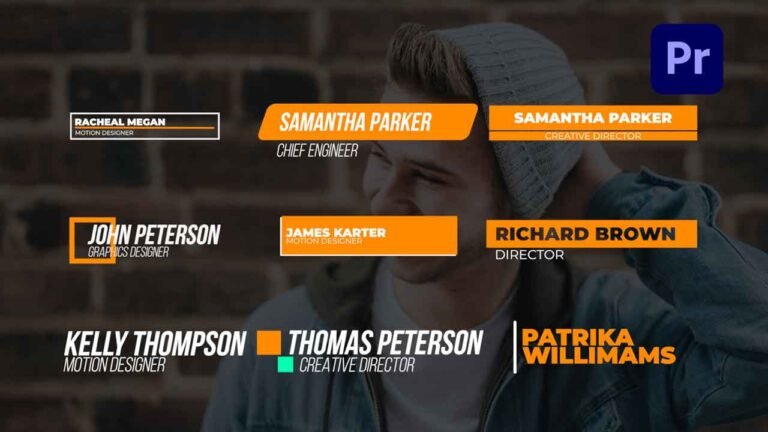
10 Free Lower Thirds Adobe Premiere Pro Templates.

10 Free Lower thirds pack is a modern, clean and elegant Adobe Premiere Pro Motion Graphics Templates. These templates are well organized and added all-important controllers to change color, font, position, and scale. Give your videos a premium look by adding these lower thirds.

How to edit 10 Free lower third Templates in Adobe Premiere Pro.

I have already made a video on how to edit these templates. You will find the YouTube video link below. Download the template from the link given below.

Requirements:

  • Adobe Premiere Pro CC 2018 or above versions.
  • Montserrat and Bebas Neue font.

Features:

  • Supports all resolutions.
  • Super easy to use.
  • No need of After Effects.
  • Drag and drop.
  • Easy to change text/color/font/position/scale.
  • Fast render.
  • used free font.
  • Added separate template for Premiere Pro 2018 and 2019.
  • Font Changing feature in 2019 version templates.

How to edit and use 10 Free Lower Third Templates in Adobe Premiere Pro(Video Tutorial Guide):

How to download 10 Free Lower Third Templates :

You can download the template file from the link given. Click on it and you will redirect to Google Drive or Mediafire. You can easily download it from there.
Free Minimal 3D Logo Intro Adobe Premiere Pro Template.

Minimal 3D Logo Intro For Adobe Premiere Pro is a free template that can be used for giving a special touch to your videos marking your audience’s attention. This template will perfectly match your videos with just some seconds of editing. Intro also can make your videos a lot better as it is used by most of the popular video creators, you see everywhere! So, this intro template will be perfect for your next presentation because of its easy-to-use interface.

Main Features:

  • Simple to use.
  • Soundfx Included.
  • Drag and drop.
  • No Plugins required.
  • Full HD Compatible.
  • Supports all resolutions.
  • Works with all media.
  • User-friendly template.
  • This Intro can also be used even if you have Premiere Pro 2018 or above.

Renders quickly, so that not even a single second of yours goes to waste.

Requirements:

  • Premiere Pro CC 2018(12.1) or above.
  • Any extracting software (like Winrar) for extracting the .zip folder.

Supportive Resolutions:

  • Full HD – 1920×1080
  • HD – 1280×720

How to Edit and Use Minimal 3D Logo Intro Premiere Pro Template:

  • I have already made a video on how to edit this Minimal 3D Logo Intro template. You will find the YouTube video link below. Download the zip file from the link given below. This template is purely made in Adobe Premiere pro.

License Info:

  • You may use this template for any of your videos, projects, or presentations.
  • This template can be used for private and commercial uses as well.
  • You can share this template with anyone, as well as on social media through posts, videos, etc.
  • Re-uploading and selling of these templates are not allowed.

How to Edit or Use Minimal 3D Logo Intro Template (Video Tutorial Guide):

How to Download Minimal 3D logo Intro Premiere Pro template:

You can download the project file from the link given below. Click on it and you will be redirected to Google Drive or Media fire. You can easily download it from there.
Free Glitch Title Intro Adobe Premiere Pro Template.

Glitch Title Intro is an elegant and Clean Premiere Pro template with stylish design and creatively animated title animation. A Premiere Pro Template that’s sure to grab your audience’s attention with its Glitchy text animation. It is super easy to customize and use. Create amazing intros and trailers with this template. Impress your audience with this Powerful Intro.

Main Features:

  • Easy to use.
  • No Plugins required.
  • Full HD Compatible
  • Works with all media.
  • User-friendly template.
  • Renders quickly, so that time won’t be wasted.
  • The template can be used even if you have Premiere Pro 2019 (13.1) or above.
  • Video Tutorial Guide included as well for extra reference.
  • In the standard format of MOGRT.

Requirements:

  • Premiere Pro CC 2019 or above.
  • Any extracting software (like Winrar) for extracting the .zip folder.

Fonts Requirements

  1. Montserrat

Supportive Resolutions:

  • Full HD – 1920×1080
  • HD – 1280×720

How to Edit and Use:

  1. Download the .zip file from the link given below in the “How to Download” Section.
  2. Extract the zip file using “7-ZIP”, “WINRAR” or any other software you have.
  3. Import the Glitch Title Intro Template in to Premiere Pro through the Install Essential Graphics Template option in the Essential Graphics Panel.
  4. Create a sequence with a resolution of your own choice.
  5. Then Drag & Drop the Glitch title intro template from the Essentials Graphics Panel onto the timeline.
  6. Finally, Select the Template in the timeline & Do all the editing you want with this template in the Essential Graphics Panel. (It’s that SIMPLE!)

How to Edit Glitch Title Intro Template (Video Tutorial Guide):

How to Download Glitch Title Intro template:

You can download the template from the link given below. Click on it and you will be redirected to Google Drive or Media Fire. You can easily download it from there for free.

Free Transitions Sound Effects Pack for Edits.

Here is Free Transitions Sound Effects Pack that you can use for your edits. Drag and drop into your project and use them.

Main Features:

  • Drag and drop.
  • High quality.

Requirements:

  • any video editing software.
  • Any extracting software (like WinRAR) for extracting the .zip file.

How to Download Free Transitions sound effects Pack:

You can download this Sound effects Pack from the download button given below. Click on it and you will be redirected to Google Drive or Mediafire. You can download it from there and bring it to your next project or video easily in a matter of a few seconds.

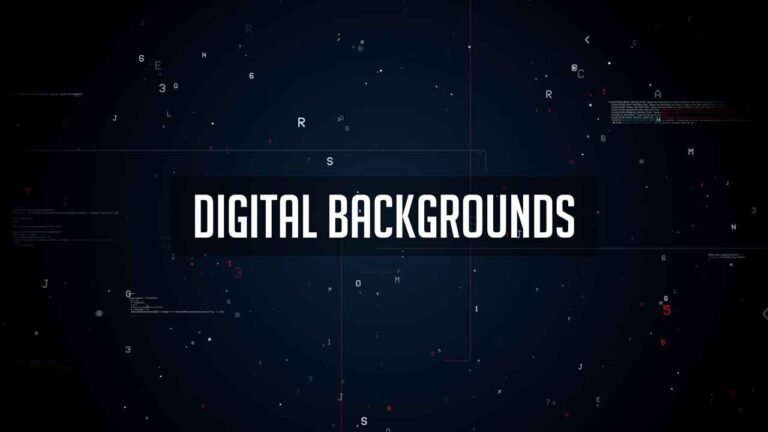
Free Animated Digital Background Pack.

Here is Free Animated Digital Background pack that you can use in your videos. Download it and use it in your next videos.

Main Features:

  • Drag and drop.
  • High quality.
  • Full HD(1920*1080)

Requirements:

  • any video editing software.
  • Any extracting software (like WinRAR) for extracting the .zip file.

License Info:

  • You may use these Backgrounds for any of your videos, projects, or presentations.
  • You can share with anyone, as well as on social media through posts, videos, etc.

How to Download free Animated Digital Background Pack:

You can download this pack from the download button given below. Click on it and you will be redirected to Google Drive or Mediafire. You can download it from there and bring it to your next project or video easily in a matter of a few seconds.

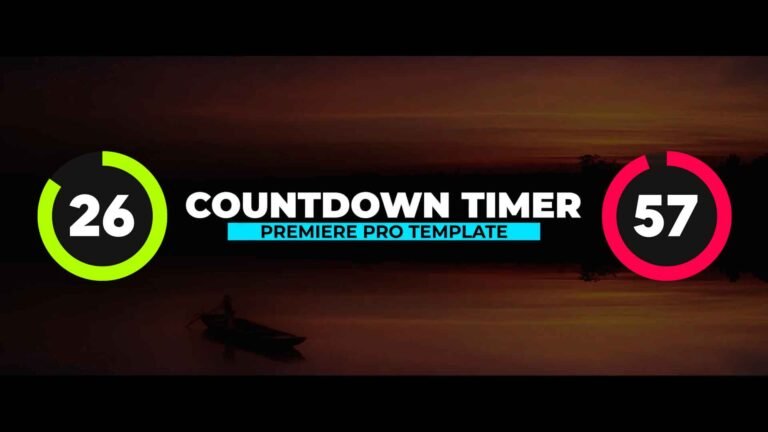
Free Countdown Timer Template for Adobe Premiere Pro.

Free Countdown Timer is a uniquely designed and elegantly animated Premiere Pro template that you can use to add countdown and time clocks to your videos. There are 12 different counters. Their duration is 0:60, 0:55, 0:50, 0:45, 0:40, 0:35, 0:30, 0:25, 0:20, 0:15, 0:10, 0:05 seconds.

Main Features:

  • Easy to use.
  • No Plugins required.
  • Works with all media.
  • User-friendly template.
  • Renders quickly, so that time won’t be wasted.
  • The template can be used even if you have Premiere Pro 2018 (12.1) or above.
  • Video Tutorial Guide included as well for extra reference.
  • In the standard format of MOGRT.

Requirements:

  • Premiere Pro CC 2018 or above.
  • Any extracting software (like Winrar) for extracting the .zip folder.

Fonts Requirements

  1. Novecento UltraBold

Supportive Resolutions:

  • Full HD – 1920×1080
  • HD – 1280×720
  • Instagram – 1080×1920
  • 4K – 3840×2160

How to Edit and Use:

  1. Download the .zip file from the link given below in the “How to Download” Section.
  2. Extract the zip file using “7-ZIP”, “WINRAR” or any other software you have.
  3. Import the Countdown Timer Template in to Premiere Pro through the Install Essential Graphics Template option in the Essential Graphics Panel.
  4. Create a sequence with a resolution of your own choice.
  5. Then Drag & Drop the Countdown timer template from the Essentials Graphics Panel onto the timeline.
  6. Finally, Select the Template in the timeline & Do all the editing you want with this template in the Essential Graphics Panel. (It’s that SIMPLE!)

How to Edit and use Countdown Timer Template (Video Tutorial Guide):

How to Download Countdown Timer Premiere Pro template:

You can download the template from the link given below. Click on it and you will be redirected to Google Drive or Media Fire. You can easily download it from there for free.

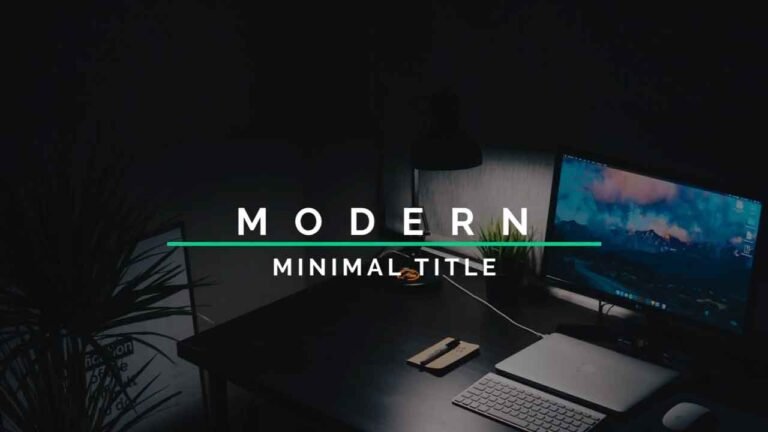
10 Free Modern and Clean Premiere Pro Title Templates.

This Pack contains 10 Free, Creative, Clean, Professional, and elegant Title Animations for Premiere Pro, which will take your next presentation or project to the advanced level. It will also help you in creating better projects even faster due to its user-friendly interface because You can freely customize each element in the title animation to match them up towards your style. By using these title animations, you can make your projects much more Elegant and give them a highly modern look. Using these templates, you can save a lot of time if you want the project to be completed much faster instead of creating your own templates.

Main Features:

  • Text & Video Tutorial (HD) Guide Included Down below for Addition Preference.
  • Each Element can be easily customized within a matter of a few seconds.
  • No Plugins Required.
  • Links for Free Fonts included in the requirements section below.
  • Drag & Drop Template.
  • Supports all resolutions.
  • User-friendly template.
  • Renders quickly, so that not even a single second of yours goes to waste.
  • These templates can also be used if u have Premiere Pro 2018 or above.
  • In the standard format of MOGRT.

Requirements:

  • Premiere Pro CC 2018 or above.
  • Any extracting software (like Winrar) for extracting the .zip folder.
  • Fonts Requirements:
  1. Montserrat
  2. Raleway

Supportive Resolutions:

  • Full HD – 1920×1080
  • HD – 1280×720
  • Instagram – 1080×1980
  • 4K – 3840×2160

How to Edit and Use Modern and Clean Title Templates:

  1. Download the .zip file from the link given below in the “How to Download” Section.
  2. Extract the zip file using “7-ZIP”“WINRAR” or any other software you have.
  3. Import the Title Animations Templates into Premiere Pro through the Install Essential Graphics Template option in the Essential Graphics Panel.
  4. Create a sequence with a resolution of your own choice.
  5. Then Drag & Drop the Title Animation Template from the Essentials Graphics Panel onto the timeline.
  6. Finally, Select the Title Animation Template in the timeline & Do all the editing you want with this template in the Essential Graphics Panel. (It’s that SIMPLE!)

If you have any doubts, please refer to the video shown below.

License Info:

  • You may use these templates for any of your videos, projects, or presentations.
  • This templates can be used for private and commercial uses as well.
  • You can share these templates with anyone, as well as on social media through posts, videos, etc.

How to Edit or Use Title Animations Template in Adobe Premiere Pro (Video Tutorial Guide):

How to Download 10 Modern and Clean Title Animation Premiere Pro templates:

You can download these templates from the download button given below. Click on it and you will be redirected to Google Drive or Media fire. You can download it from there and bring it to your next project or video easily with a matter of few seconds.

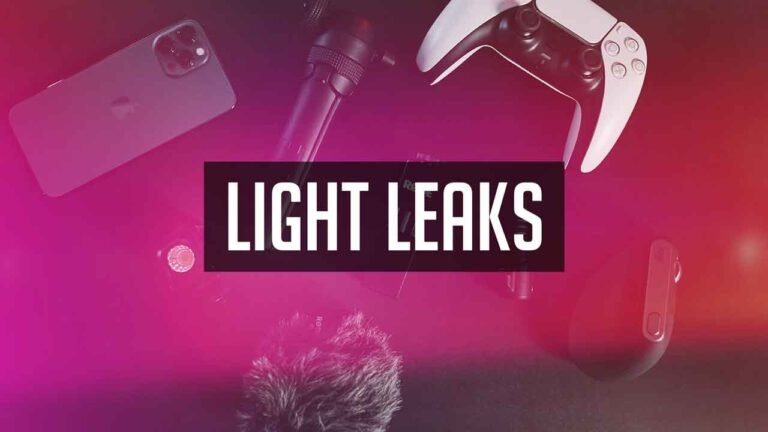
12 Free Animated Vintage Light Leaks.

Here are 12 Free Animated Vintage Light Leaks pack that you can use in your videos. Download them and use them in your next videos.

Main Features:

  • Drag and drop.
  • High quality.
  • Full HD(2560*1440)

Requirements:

  • any video editing software.
  • Any extracting software (like WinRAR) for extracting the .zip file.

License Info:

  • You may use these Light Leaks for any of your videos, projects, or presentations.
  • You can share with anyone, as well as on social media through posts, videos, etc.

How to Download free Vintage Light Leaks pack:

You can download these Light Leaks from the download button given below. Click on it and you will be redirected to Google Drive or Mediafire. You can download it from there and bring it to your next project or video easily in a matter of a few seconds.